Merge GPX Tracks
The code below uses the Toolbox SDK, which you can install with pip install toolbox-sdk.
Additional Python examples: using SDK, using Requests. If you prefer other programming language or need full API reference, check out Toolbox OpenAPI as well.
Docs
Merge multiple GPS logs in GPX format to one. Most programms open tracks one by one. With this instrument you don’t have to know in advance what day the information for a certain area was collected, all tracks will be viewed at once.
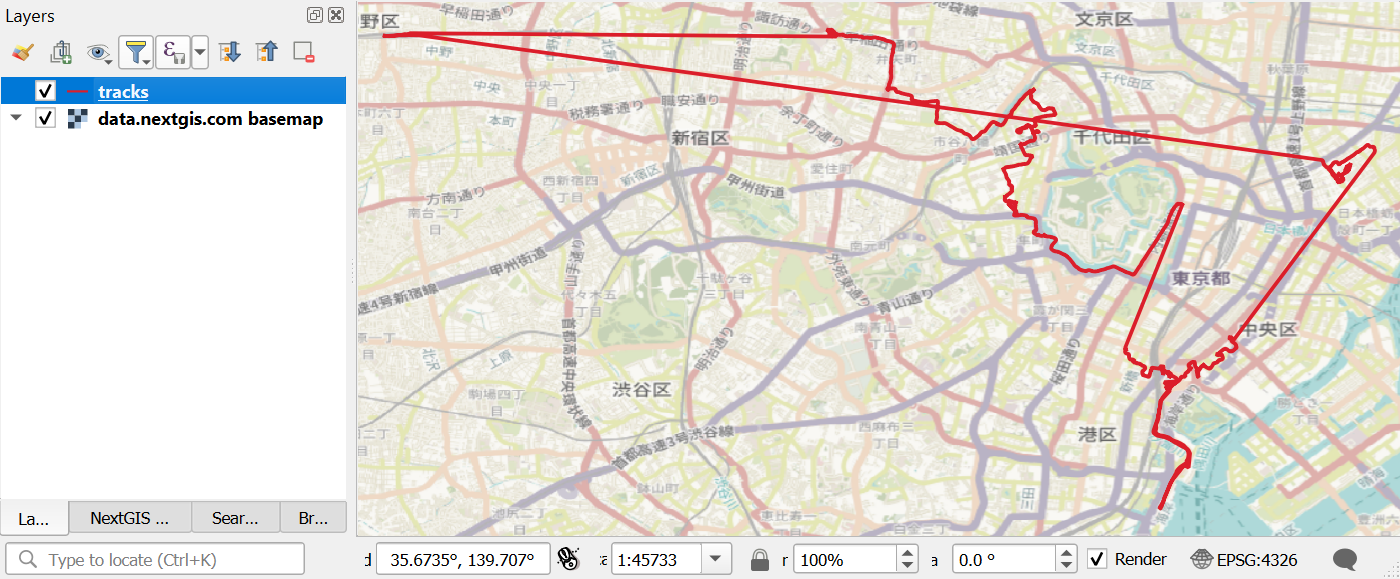
Multiple merged tracks in one layer in QGIS
Additionaly, This instrument fixes GPX files damaged by power down.
Input:
ZIP archive with GPX files. Subdirectories of several leverls are allowed. You can have files with the same name in different folders, the tool can process them anyway;
-
Mode - select from the menu:
Strict: merge all content of GPX files using gpsbabel, may take long if there are many files.
Quick: concat XML code as string, remove GPX extensions, quick, data is simplified.
Important
Archives inside the archive are not supported.
Output:
Merged GPX. Resulting GPX file with all tracks merged.
Skipped files. List of skipped/invalid files (if any).
Launch instrument: https://toolbox.nextgis.com/t/gpxmerge
Try the tool in action
Click on the Demo button above the tool form. The fields are filled in with demo values.
Click on the Run button.