Clip GPX file by bounding box
The code below uses the Toolbox SDK, which you can install with pip install toolbox-sdk.
Additional Python examples: using SDK, using Requests. If you prefer other programming language or need full API reference, check out Toolbox OpenAPI as well.
Docs
Clip one GPX file by rectangular area to remove errors from signal bouncing or just trim the data to the exact area of interest.
Inputs:
One GPX file or ZIP archive with one GPX file. Subdirectories are allowed;
Extent bounding box - you can mark it on a map, draw it and then correct the numbers or enter the extent manually following the format ‘xmin, xmax, ymin, ymax’. Enter coordinates in WGS 84 (EPSG:4326), for example
139.75282797783194,35.62931134243268,139.77938217891602,35.677314929949524.
Outputs:
Clipped GPX file.
Example:
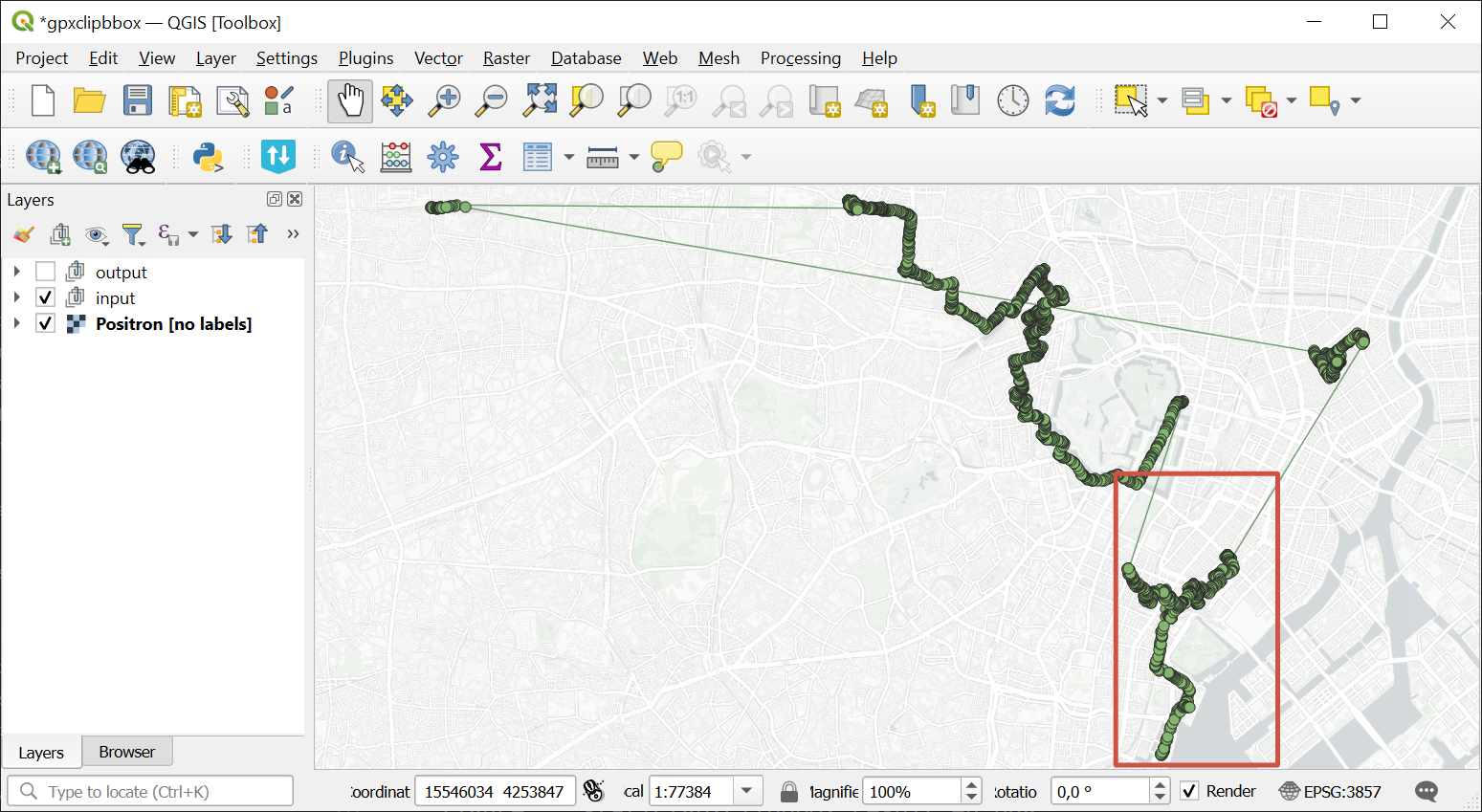
Example input. The area of iterest is marked in red
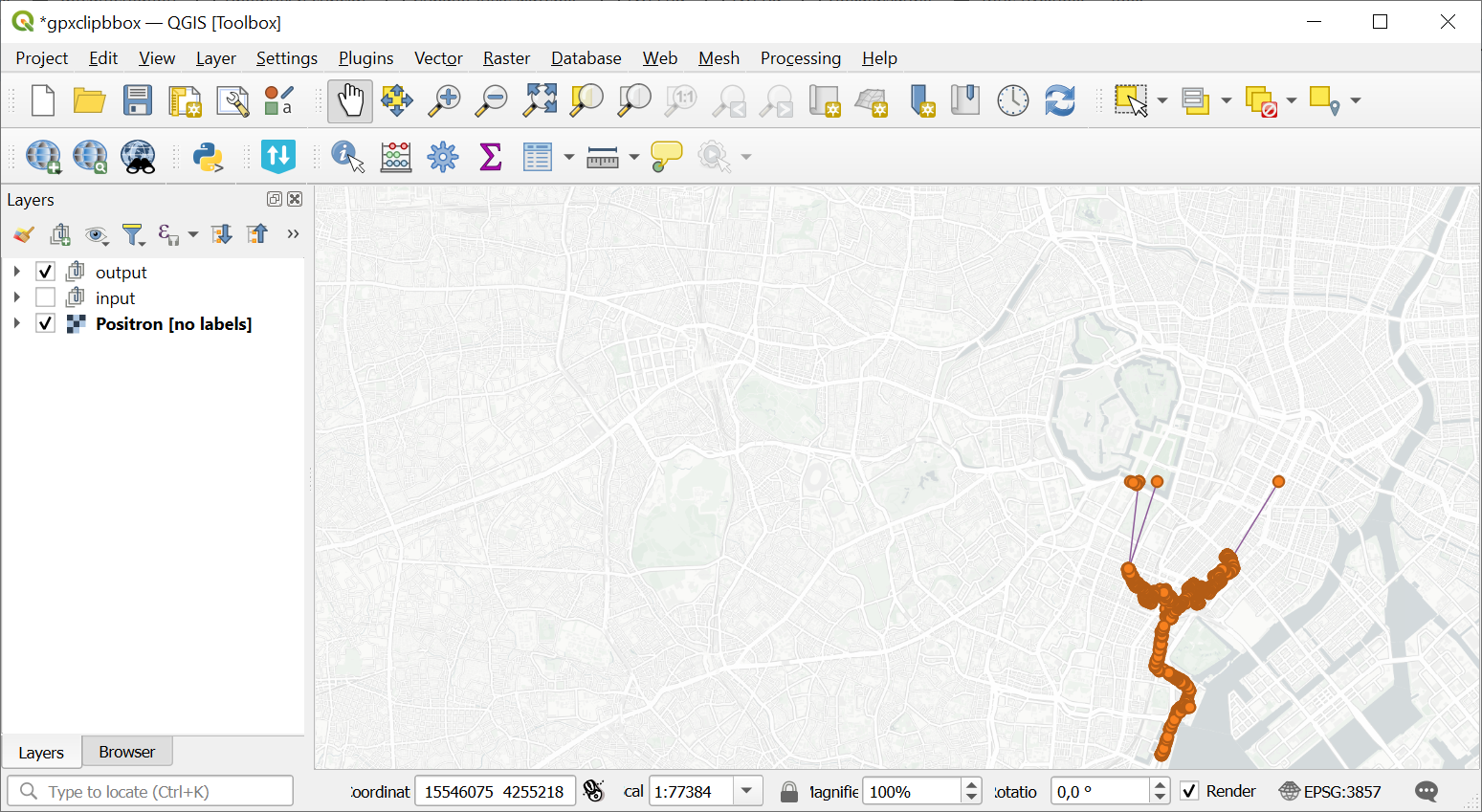
Example output. Track is clipped by the selected area
Try the tool in action
Click on the Demo button above the tool form. The fields are filled in with demo values.
Click on the Run button.