Download Landsat Analysis Ready Data (GLAD ARD)
The code below uses the Toolbox SDK, which you can install with pip install toolbox-sdk.
Additional Python examples: using SDK, using Requests. If you prefer other programming language or need full API reference, check out Toolbox OpenAPI as well.
Docs
Generates commands to download Landsat Analysis Ready Data (GLAD ARD, https://glad.umd.edu/ard/home).
The source data is organized as follows:
ARD tile name contains the coordinates of the bottom left corner of the grid cell. You can see the online interactive grid.
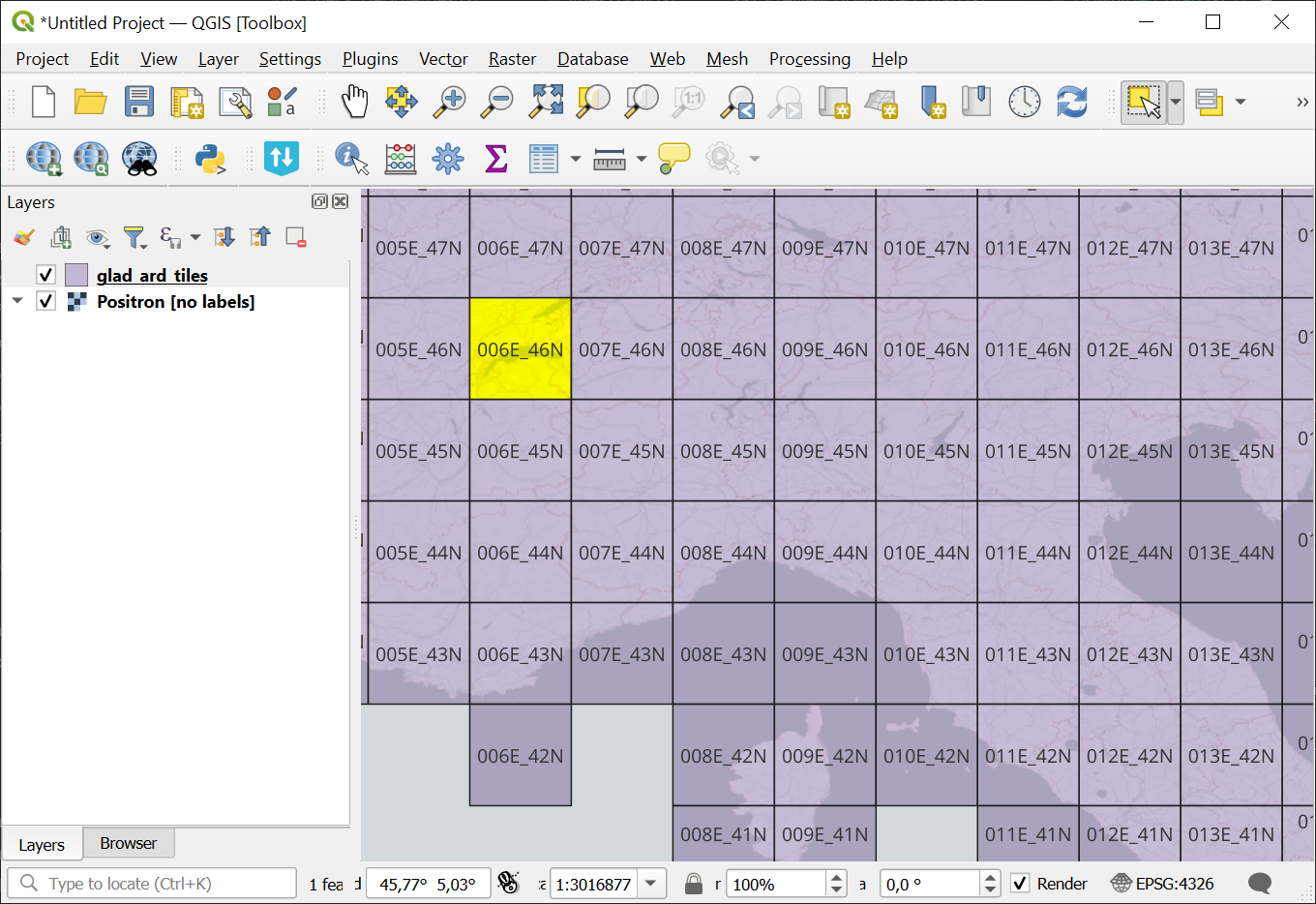
ARD tile grid, the name of the selected tile is 006E_46N
Data collected in a 16-day interval are consolidated into a single ARD composite. The intervals are numbered consecutively since 1997. See the IDs of the intervals intersecting with your period of interest in the table.
Inputs:
CSV file containing a list of tile names, i.e.
006E_46N;Starting interval - ID of the first 16-day interval intersecting with your period of interest;
Ending interval - ID of the last 16-day interval of your period of interest.
Outputs:
Windows batch file for downloading with Powershell. No additional tools required;
Windows batch file for downloading with AWS (same data, different server). AWS CLI installation is required https://docs.aws.amazon.com/cli/latest/userguide/getting-started-install.html;
TXT file containing a list of urls for downloading with wget, curl or similar tools.
Example data downloaded using the BAT file provided by the tool.
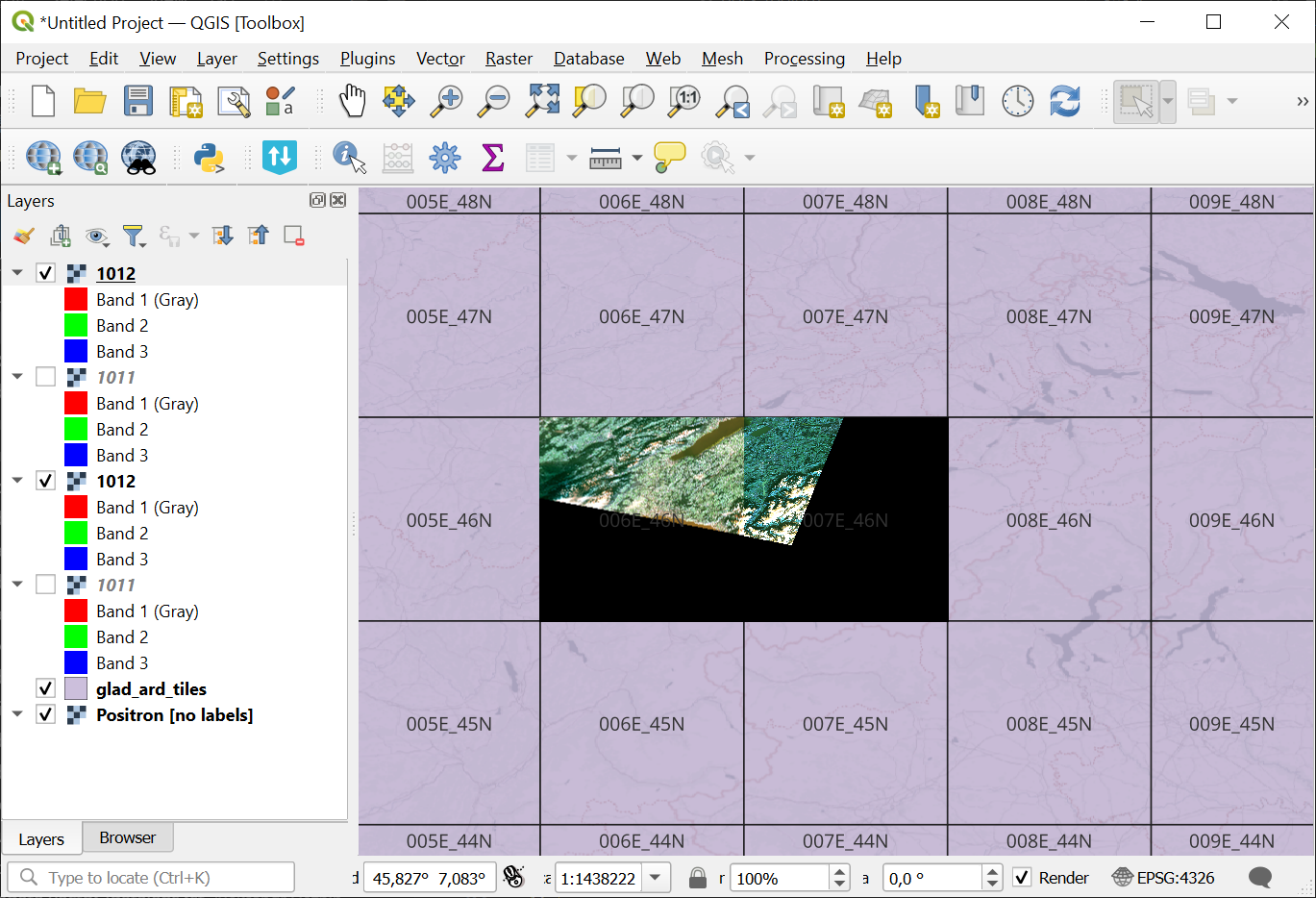
Tiles in QGIS opened alongside the grid
Try the tool in action
Click on the Demo button above the tool form. The fields are filled in with demo values.
Click on the Run button.